This started in 2025, I had been using PhotoScape X for years, but I realized, I was not getting the most out of my camera. I realized that PhotoScape X was a 8 bit software, so it was not able to take advantage of the 14-bit RAW files from my Canon EOS 80D.
After that I started looking around for photo editing softwares, I got to watching this video and this video on youtube which compared multiple softwares.
One of the primary reasons I wanted to switch away from PhotoScape X mainly because it lacked non-destructive editing.
Softwares I Tried
Darktable
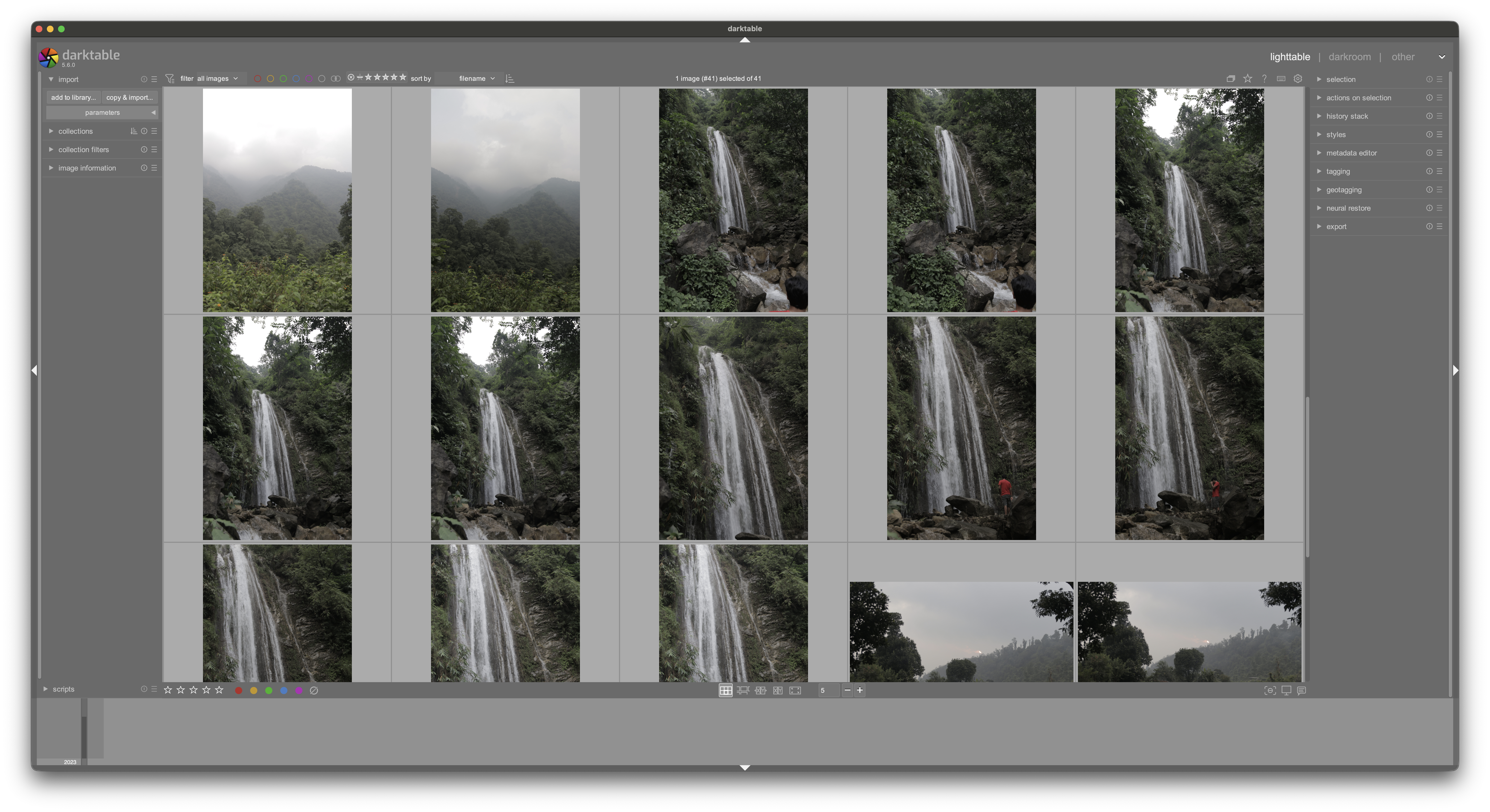
I started with the free softwares, I started with Darktable which is open source, I had heard some great things about it, as for the results, they were great but the tools were just too confusing to wrap my head around.
Rawtherapee
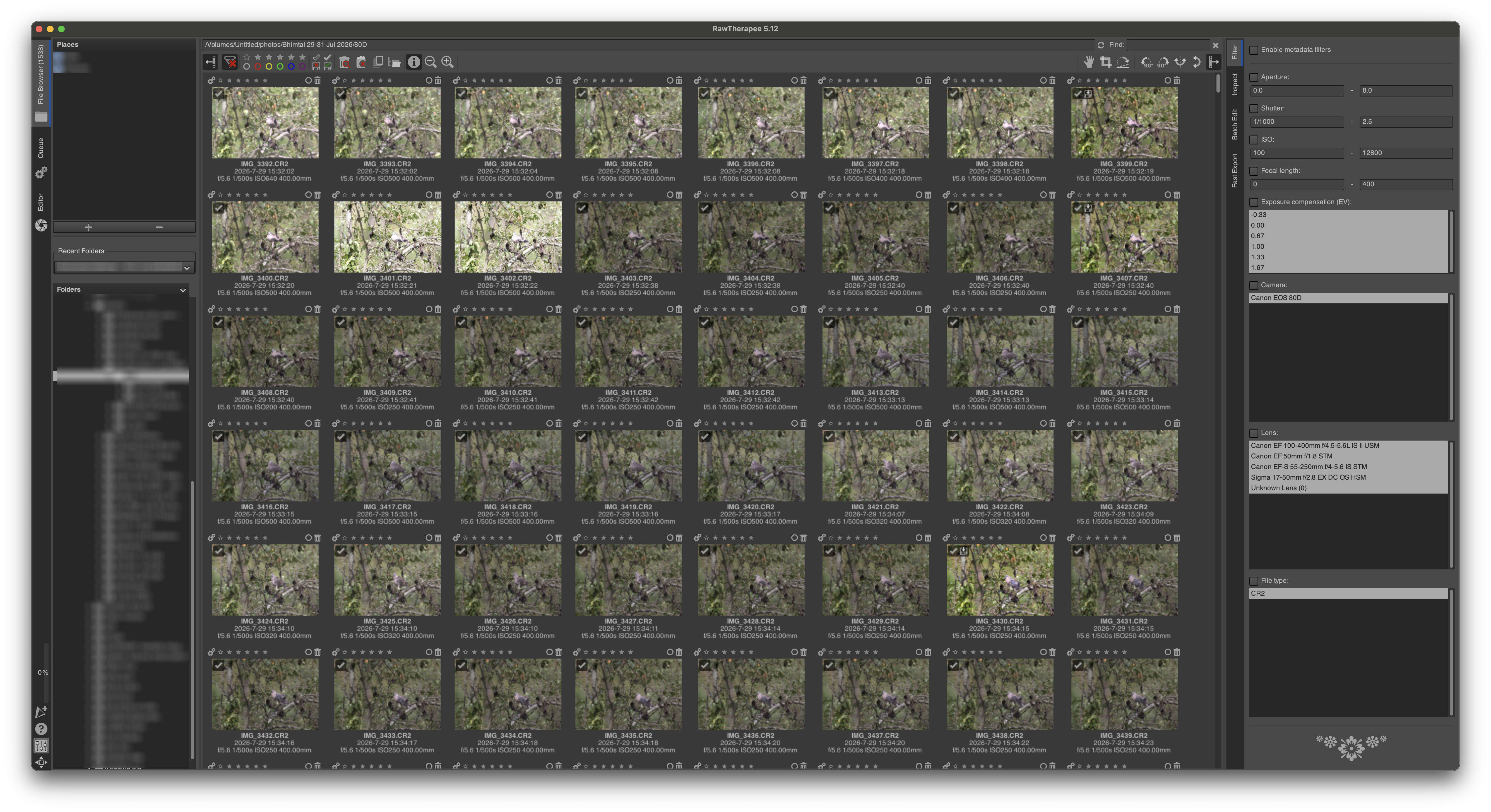
This is an interesting one. I wanted to try this other open source alternative.
At first, I was disappointed since the preview quality was a bit blurry, I did some research and found that this is a problem more people are facing specially on MacOS. I went with it since when I zoom into the photo at 100% it looked alright.
The export quality was even better so I stuck with it.
This is still one of the softwares I use on a regular basis.
The other thing I discovered was that I can change the lens profiles to use better quality lens profiles. I ended up downloading Adobe DNG Converter, which gave me access to adobe lens profiles and used these lens profiles as dynamic rules to substitute the open source lens profiles that RawTherapee provides.
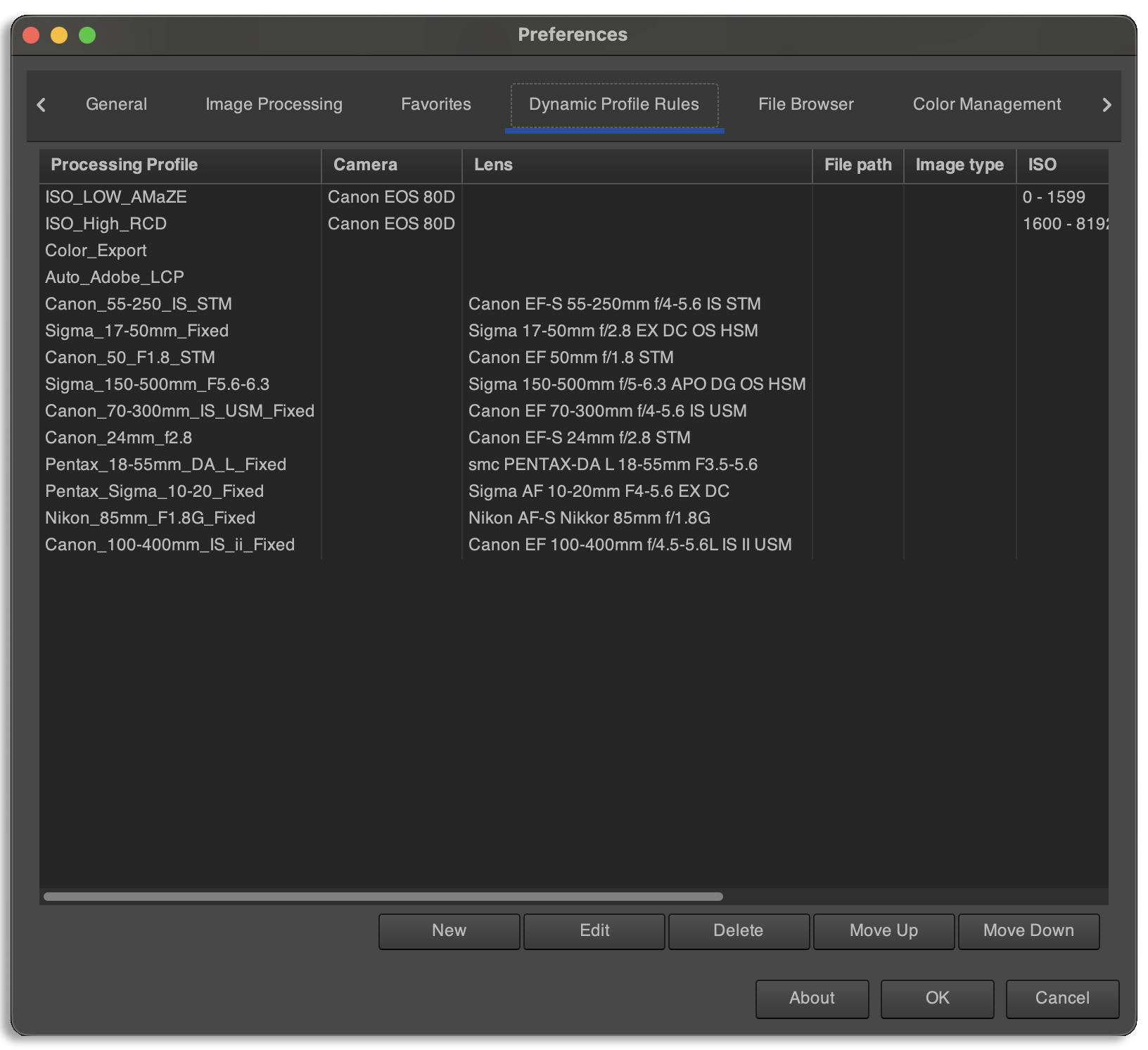 This the dynamic profiles in Rawtherapee I have setup
Most of these profiles are for hooking up Adobe lens profiles to Rawtherapee directly. The others are colour export settings.
RawTherapee has one feature which makes me keep coming back, which is capture sharpening. This uses the Richardson–Lucy (RL) deconvolution, this method helps specially with macro photography since at close distances, there is a lot of diffraction when you’re at narrow apurtures and so close to your subject, Capture Sharpening helps to counter that diffraction.
Richardson–Lucy (RL) deconvolution is an iterative mathematical procedure used to recover a sharp, underlying image or signal from data blurred by a known point spread function (PSF) and degraded by Poisson noise.
This is a software I still use on a regular basis. The other software I pair with RawTherapee is Topaz Photo AI.
Topaz Photo AI
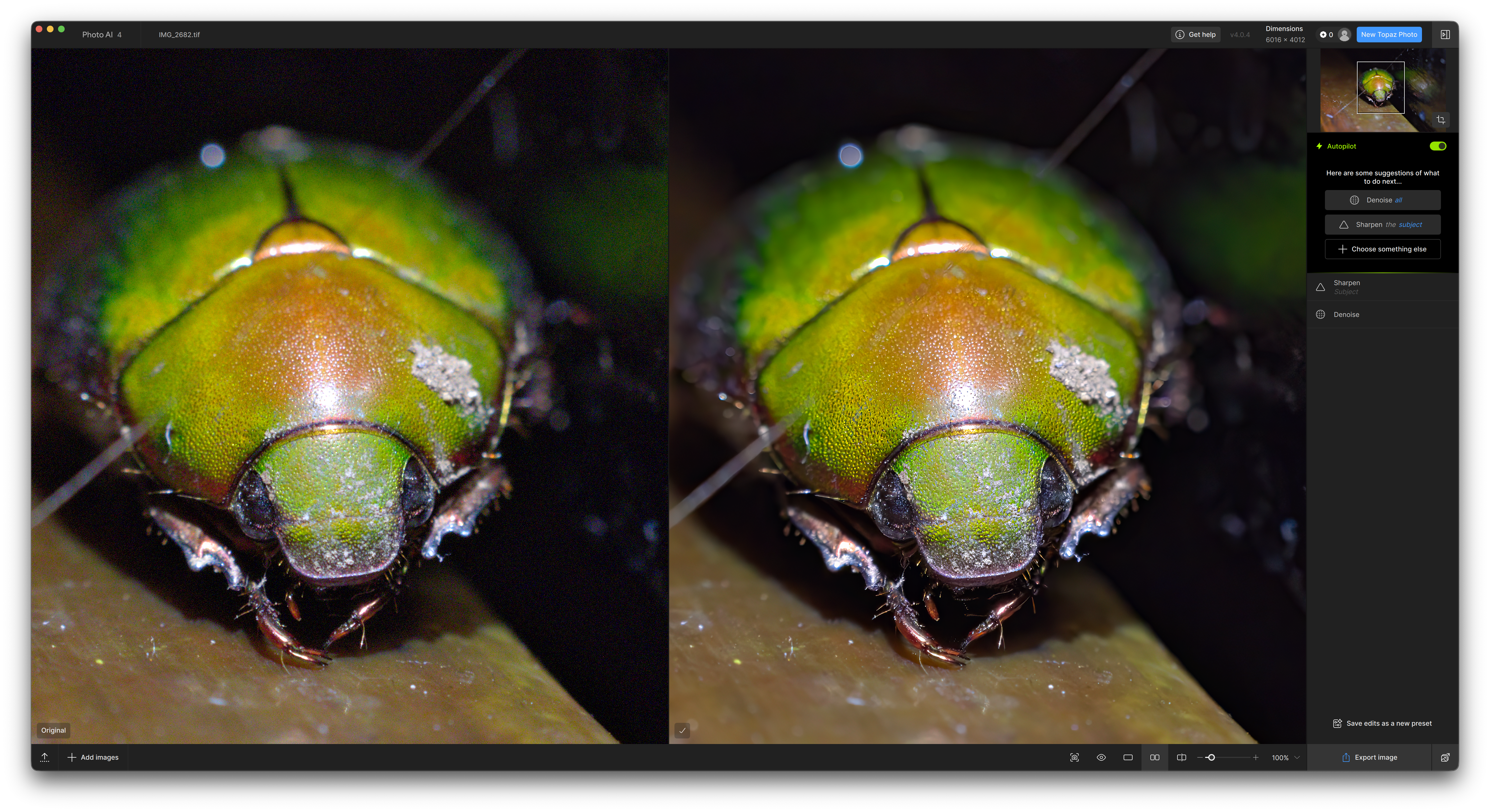
Topaz Photo AI is not exactly a photo editing software, its a collection of AI tools to enhance photos.
I use it mainly for AI Denoise and to sharpen (mainly for macro photos) my photos.
One thing to note is that if you go overboard with the AI adjustments, the photo can look waxy or plastic-y. The key is to use it subtly.
This is another piece of software I use regularly in conjunction with RawTherapee.
Unfortunately, the new Topaz Photo has become a subscription which I am not too pleased with, the version I have is a legacy license which I bought when it was around $250 one-time I think.
DxO Photolab 9
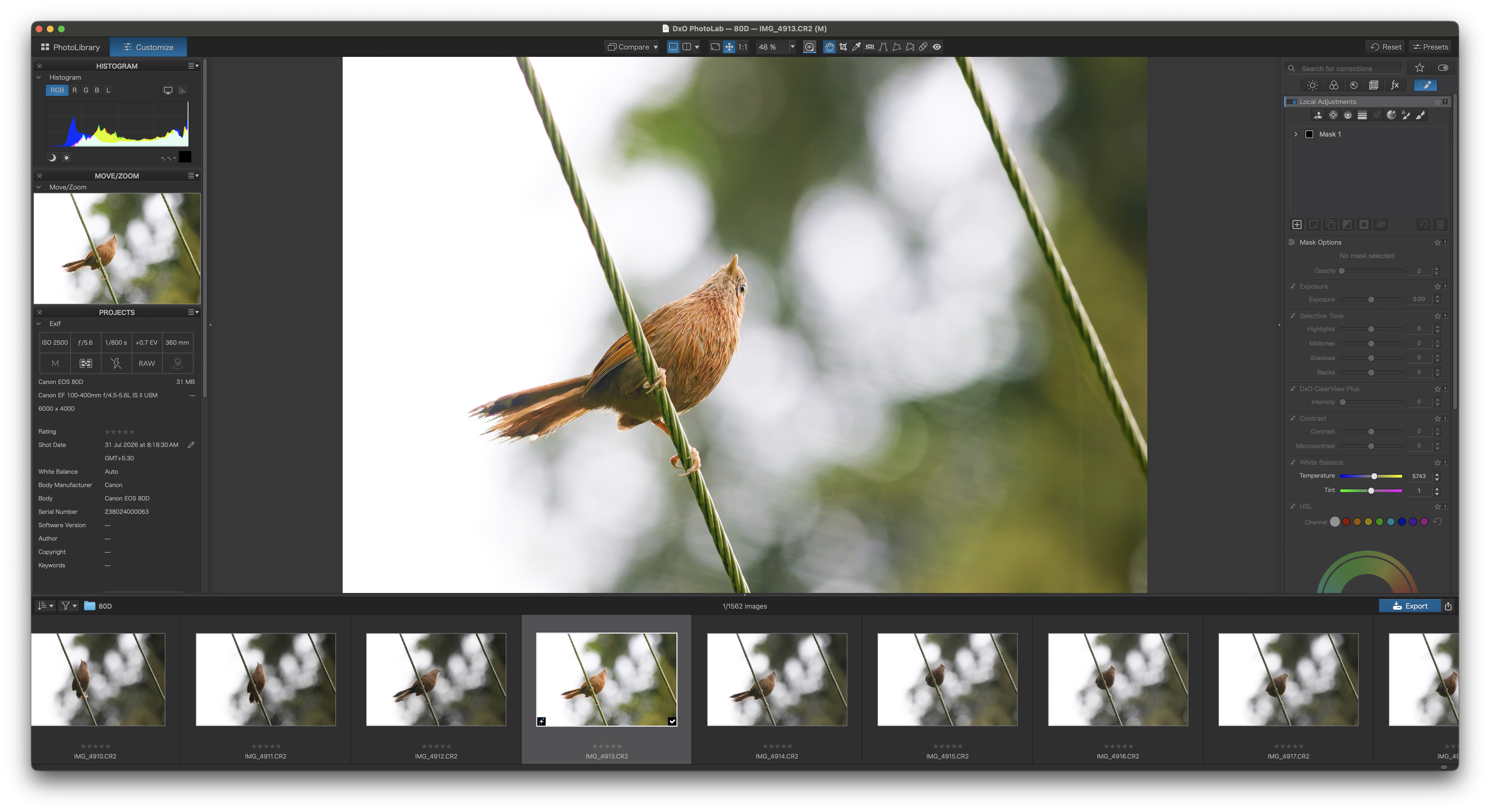
DxO Photolab is one software, I saw many sponsored videos for. So I got curious and wanted to try it out.
If you are into photography, you’ll probably be familiar with the company DxO for DxO Mark which is a camera sensor and lens performance evaluation website. They have been testing cameras and lenses for years, so naturally they have a lot of data relating to this.
DxO photo lab 9 uses this camera and lens database to provide lens corrections which are second to none in the industry since they pair camera and lens into what they call DxO Modules.
They also provide an algorithm called deepPRIME which does noise reduction and de-bayering. It is one of the best in the industry for noise reduction. This algorithm is tailored to your camera sensor.
Note: DxO Photolab works well only if the camera and lens is in their database, it uses this camera sensor/lens data to provide sharpness corrections, etc.
DxO Photolab really impressed me with its noise reduction capabilities specially for wildlife and bird photos, its almost like it gave my camera a new life.
What I Actually Use
For Macro Photos
For Macro Photos I use RawTherapee since I do mostly reverse lens macro, which means that there is no Exif data available to DxO since it works best with the DxO Lens Modules which are specific to camera and lens combinations.
One of the features as I mentioned above is capture sharpening which brings back some “real” detail into the photo which with other editing softwares can get lost as you can see in the example below.
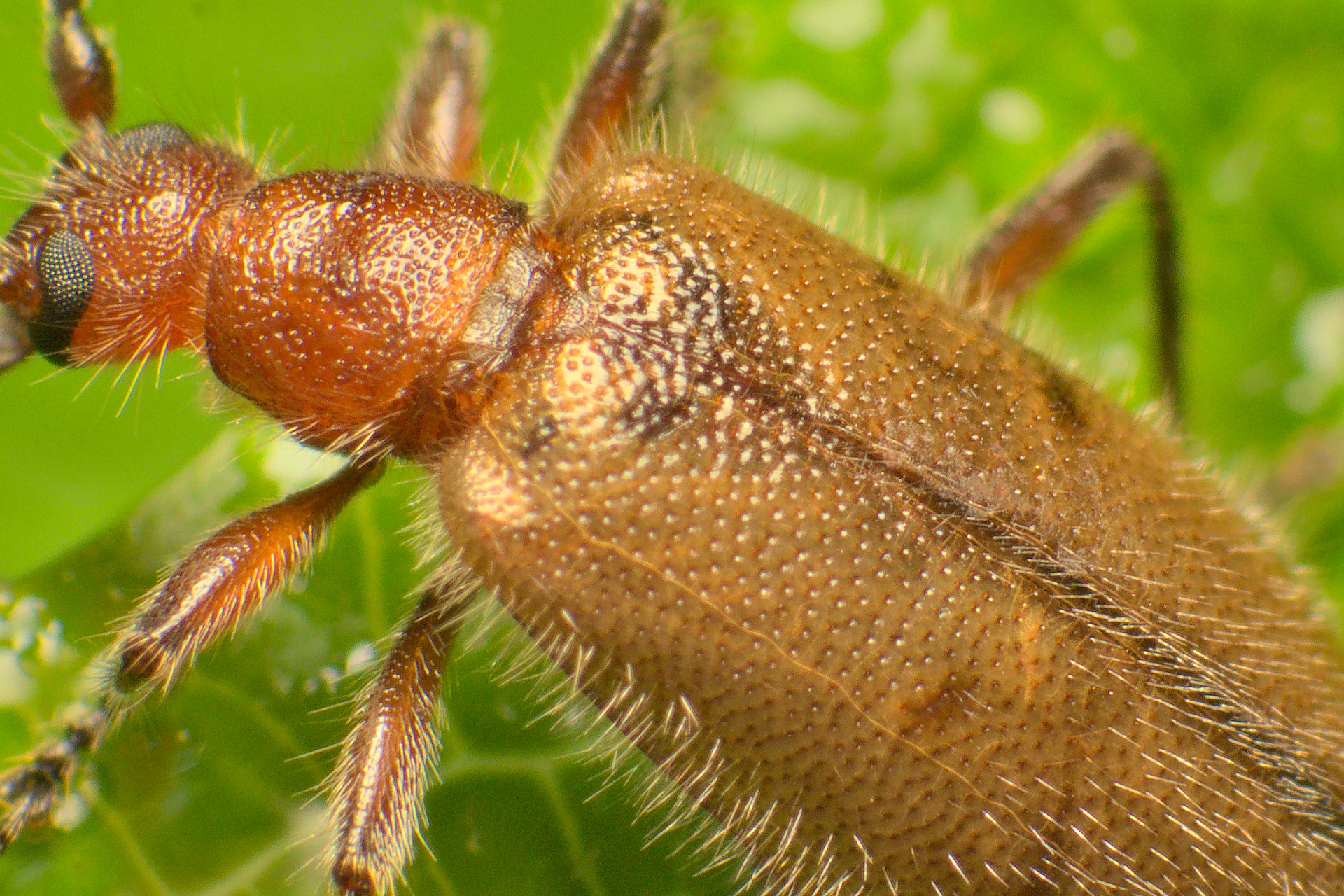
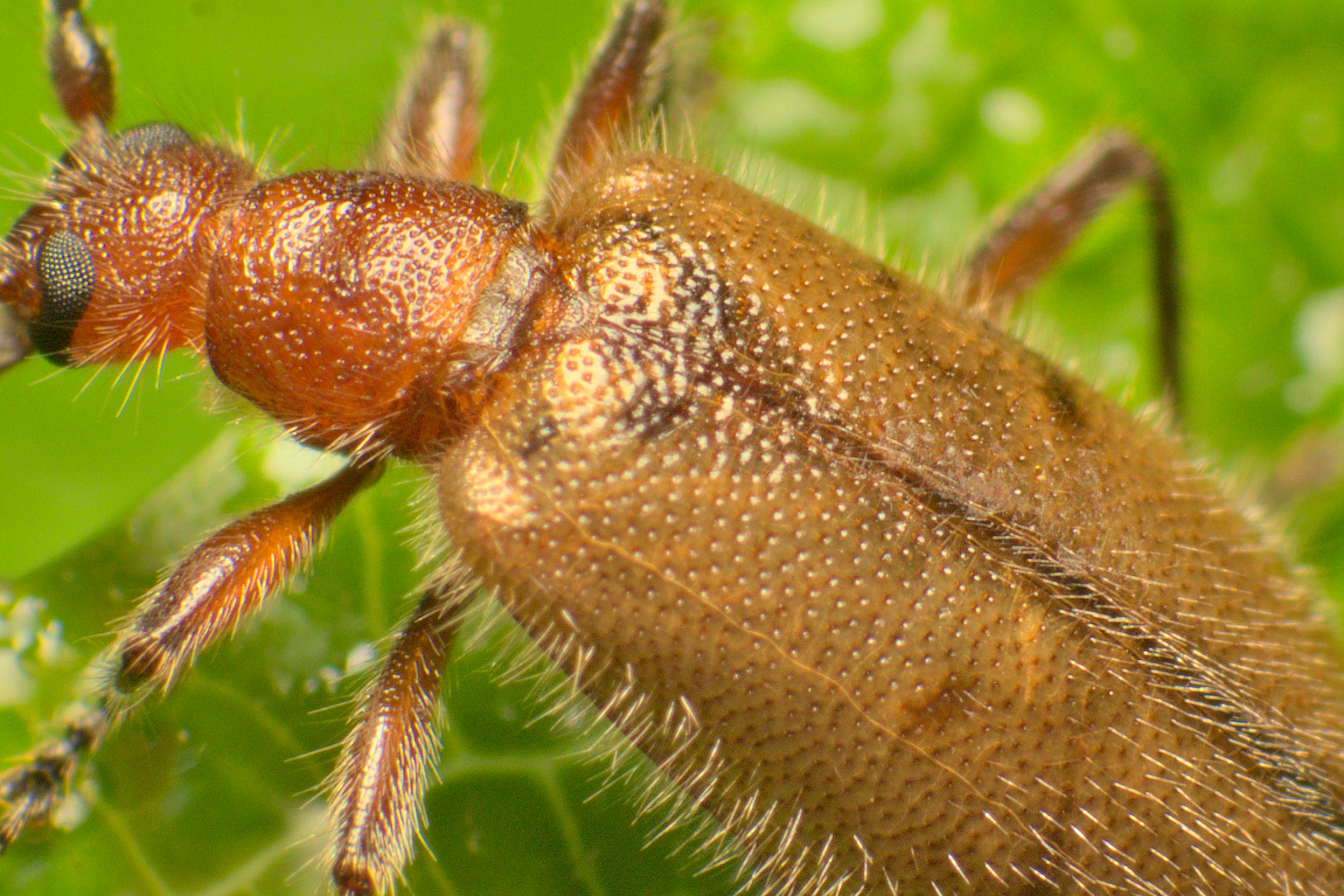
Original vs Processed
The results look excellent coming out of RawTherapee and I use Topaz Photo AI to give them that extra polish by adding a bit of sharpening and sometimes denoise as and when needed.
For Birds & Wildlife
For birds and wildlife, I use DxO photolab as a one pass software, it produces amazing results with its DeepPrime and DeepPrime XD3 denoising and sharpening algorithms.
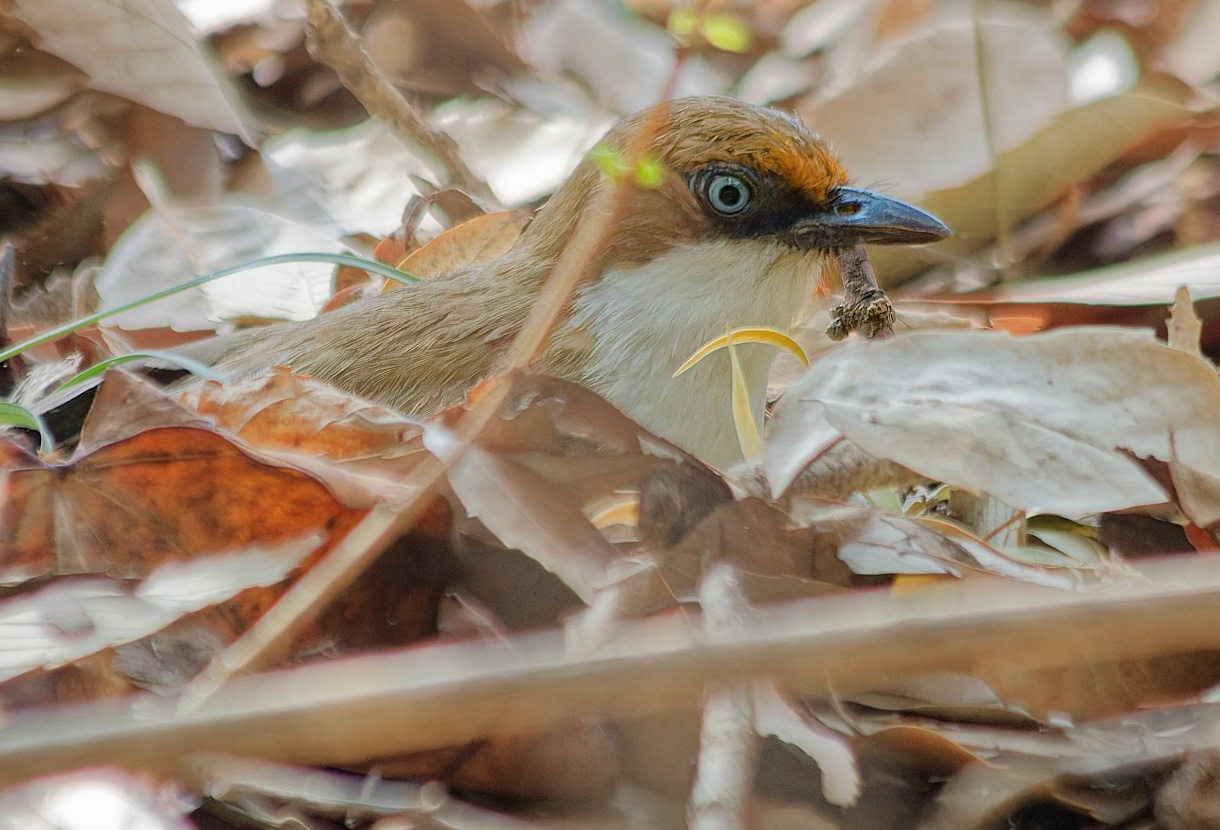
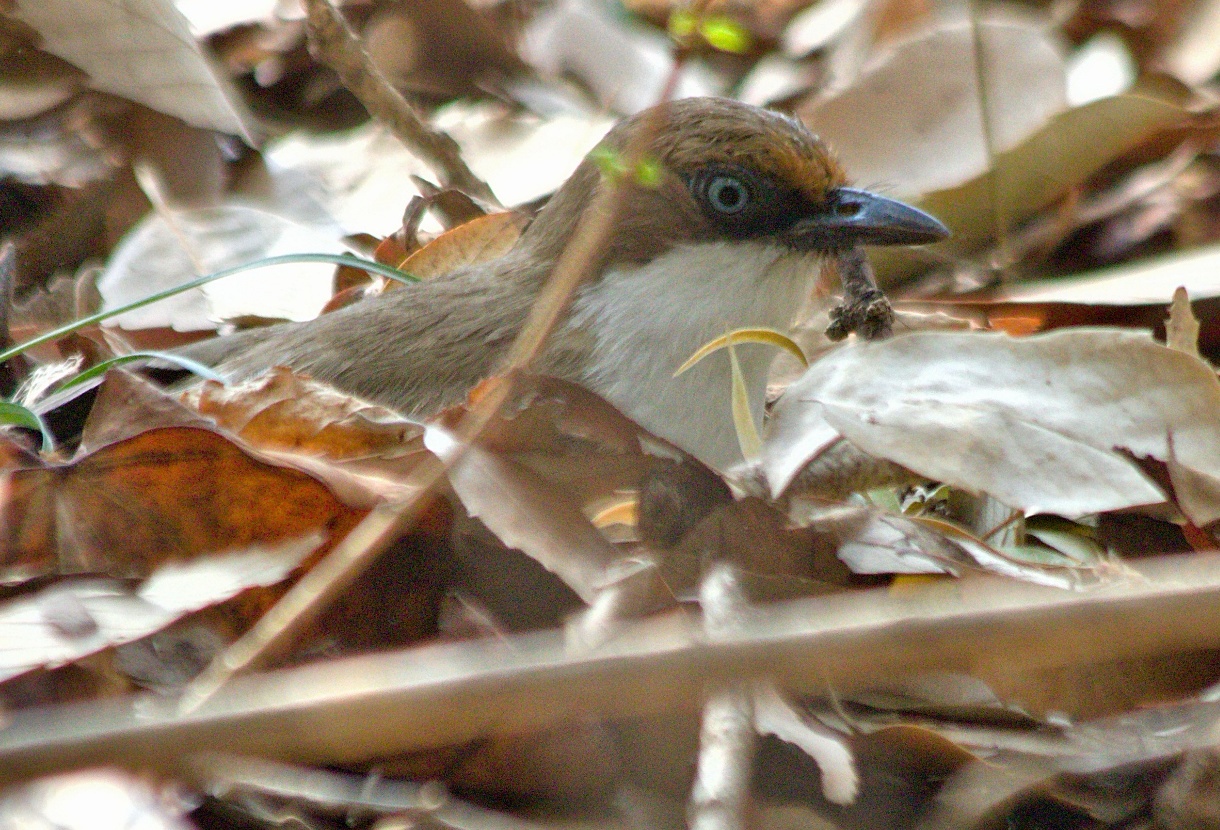
PhotoScape vs DxO Photolab on the same photo
Apart for the fact that my editing skills have improved, you can see the details DxO Photolab has managed to bring out of the same photo, in addition to the noise reduction and distortion corrections which were practically missing in PhotoScape.
Where is Lightroom?
Sadly, Lightroom never fit my use-case since it relies on a subscription model which gets more expensive every year, also the catalogue system is just not for me.
I also prefer portability and all the photo editing softwares use sidecar files which makes the edits extremely portable. This way I can rely on my filesystem to do all the organizing.
Yeah, I miss AI Search, but it doesn’t really affect my workflow anyway.
A sidecar file is a companion text file that stores adjustments, history, and metadata for an image. It sits next to the original raw photo with the same name but a different extension like
.pp3for RawTherapee or.dopfor DxO Photolab. This allows programs to edit images without changing the raw file.
Final Image editing Workflow
My final image editing workflow looks like this:
DxO PhotoLab 9.6
- DeepPRIME XD Noise Reduction
- Camera/Lens Profile Demosaicing
RawTherapee
- Adobe LCP Profile (Geometry Correction)
- RCD Demosaicing
- RL Deconvolution (Capture Sharpening)
Affinity Photo
- 16-bit TIFF Focus Stacking
- Dust/Blemish Spot Healing
Topaz Photo AI
- Targeted Final Denoise/Polish
Always remember getting a sharp photo in-camera is the best bet, but now I don’t mind getting a sharp and noisy image if its in focus and I have enough data in the RAW file to work with with these modern tools.
Hope this inspires you to get the best out of your images.
Happy Shooting!! 📷